
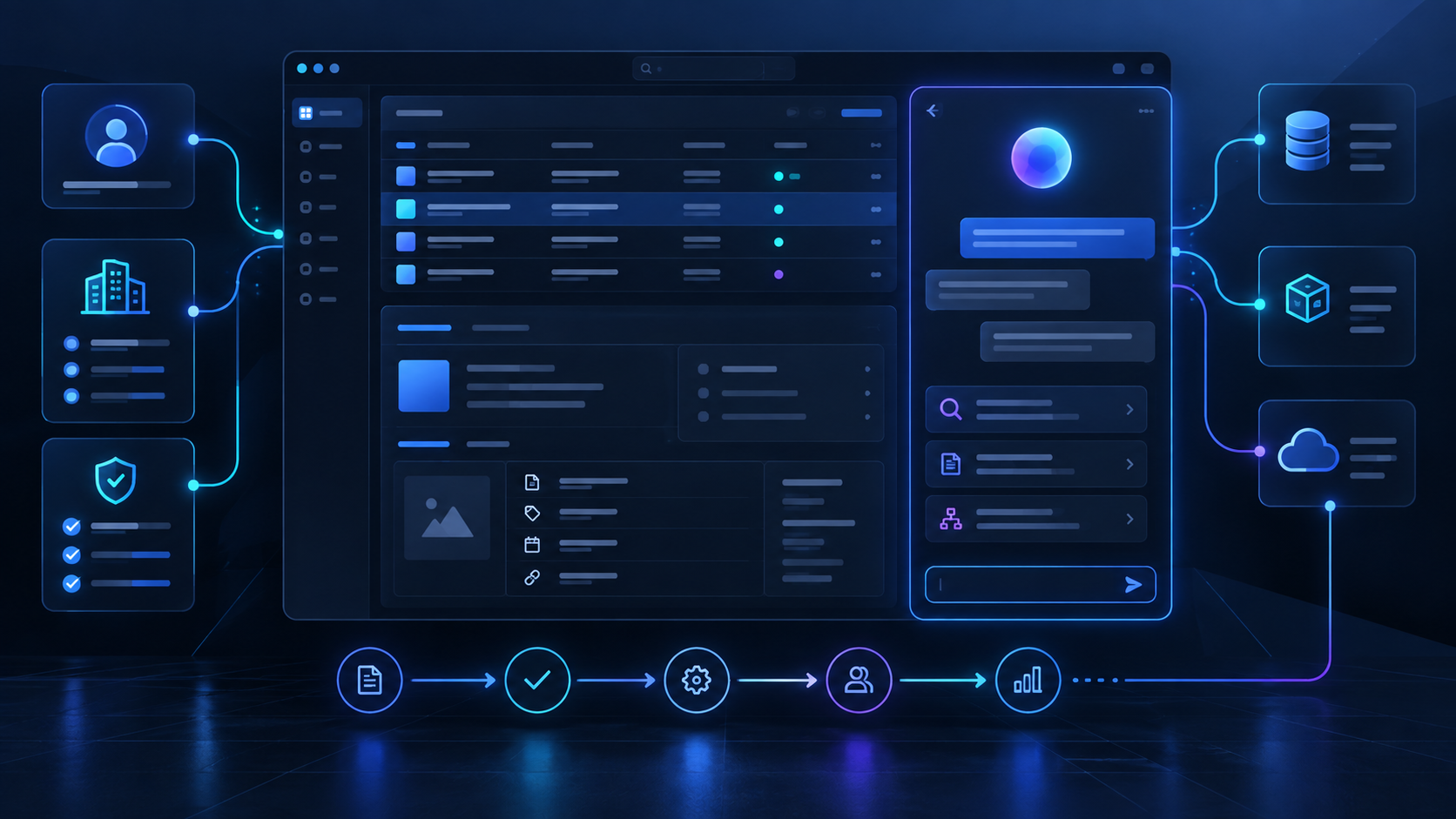
Build a SaaS AI copilot using 6 essential context checks covering users, tenants, permissions, records, APIs and workflow state inside your product. This guide explains the decisions, implementation boundaries and review points that matter inside an established product.
Table of Contents
SaaS AI copilot: a practical overview
Building an AI Copilot That Actually Understands Your Product is a practical question for established B2B SaaS teams that already have customers, workflows, APIs, data and permission rules. The useful answer is not a list of model capabilities. It is a way to improve a real product task while keeping the surrounding software understandable, secure and supportable. This guide focuses on the decisions a product and engineering team can make before the feature reaches customers.
A copilot is useful only when it knows where the user is
A generic chat window forces users to explain context the product already knows. A product-aware copilot should begin with verified context. Use user, tenant, screen and selected-record context. Send only the context required for the current job. The important point is that the decision has to make sense inside the normal product workflow, not only in a demo. The team should be able to explain who benefits, what changes for that user and which existing product boundary remains in control.
Keep deeper data behind controlled retrieval or tools. Make the context inspectable for debugging. For a mature SaaS product, this affects the API boundary, test cases, support path and what the user sees when something goes wrong. Making that choice explicit early reduces rework and gives product and engineering a shared standard for the first release. On an account page, the copilot should already know which account is open and which fields the user may access. A simple way to check this is to ask the behavior can be reproduced with representative product data and a real permission context.
Define the copilot job before its personality
The first design decision is responsibility, not tone of voice. Choose two or three related jobs inside one workflow. Avoid a long list of unrelated commands. This matters because the decision has to make sense inside the normal product workflow, not only in a demo.
Make clear what the copilot can explain, draft, recommend or act on. Define what remains a normal product action. In an established product, this affects the API boundary, test cases, support path and what the user sees when something goes wrong. A customer-success copilot might explain account risk and draft a renewal brief without becoming a general company assistant. The practical check is the behavior can be reproduced with representative product data and a real permission context.
Build a product context service
A context service creates a stable bridge between product state and the AI layer. Take verified user and tenant identity as input. Assemble the selected record and relevant related entities. The reason is straightforward: the decision has to make sense inside the normal product workflow, not only in a demo.
Expose allowed tools and deeper retrieval paths. Exclude sensitive or irrelevant fields by default. Inside an existing SaaS product, this affects the API boundary, test cases, support path and what the user sees when something goes wrong. When an answer is wrong, engineers should be able to tell whether the model failed or the wrong context was supplied. A useful test is to ask the behavior can be reproduced with representative product data and a real permission context.
Keep permissions outside the model
Authorization should be enforced before data reaches the model or a tool executes. Use the same application policy as the normal product. Do not rely on a system prompt to hide restricted records. That sounds simple, but the decision has to make sense inside the normal product workflow, not only in a demo.
Re-check permissions for state-changing tools. Test users with different roles and tenant boundaries. For teams with real customers and production data, this affects the API boundary, test cases, support path and what the user sees when something goes wrong. A polite refusal from the model is not a substitute for real access control. Before moving on, check whether the behavior can be reproduced with representative product data and a real permission context.
Use tools for live product state
Tools let the copilot fetch current information without sending the entire product into every prompt. Keep tools narrow and business-oriented. Use product APIs rather than generic database access.
Validate tool inputs server-side. Return structured outputs the model can reason over consistently. A tool such as “list open issues for this account” is safer than “query the database.” A simple way to check this is to ask the behavior can be reproduced with representative product data and a real permission context.
Give the copilot source awareness
Users need a path back to important facts when the copilot combines several sources. Link claims to records, documents or events where practical. Let the user open the source directly.
Ask for more information when evidence is weak. Avoid presenting inference as an established product fact. Traceability is especially useful for risk, compliance and decision-support workflows.
Separate answers from actions
Read-only assistance and product changes should be designed as separate capability layers. Begin with read-only behavior when possible. Use proposal, validation, confirmation and execution for meaningful actions.
Route execution through normal application services. Measure how often users accept, edit or reject proposed actions. A later version can automate low-risk actions after the team has evidence that proposals are reliable.
Design memory carefully
Most copilots need less long-term memory than teams initially assume. Keep durable product facts in the product. Store user preferences explicitly when useful.
Summarize conversational state only when the workflow needs it. Apply normal retention and tenant boundaries to stored memory. Good product context at the start of a request often removes the need for a permanent transcript.
Evaluate the workflow, not the conversation
A clever answer is not success if the user still cannot finish the job. Test representative product scenarios. Score correct context, source use, permissions and tool choice.
Include missing-data and contradictory-state cases. Measure acceptance, edits and task completion after release. For a renewal copilot, evaluate accounts with missing contracts, recent incidents and restricted notes.
The interface should feel like part of the product
A copilot can be a side panel, inline action, command surface or review card. Chat is only one option. Choose the interaction that matches the task. Keep frequent actions close to the workflow.
Show clearly when an action will change product state. Make source and context links easy to inspect. A one-click “explain risk” action may be better than asking the user to start a conversation.
A practical copilot example
A project-management copilot can begin with one question: why is this milestone at risk? Pass project, milestone and user context. Read only approved tasks, dependencies and issue APIs.
Return a concise explanation with record links. Keep publishing or editing as normal user actions. This is more useful than “ask anything about your projects” because it starts with a real management job.
Common copilot mistakes
Broad access and vague responsibility create most copilot problems. Do not make users paste context the product already knows. Do not give broad database privileges for convenience.
Do not expose dozens of poorly defined tools. Do not measure success by message volume. A copilot should improve the underlying workflow, not simply create another place to type.
SaaS AI copilot: frequently asked questions
Does a SaaS copilot need RAG?
Sometimes. RAG helps with documents and unstructured knowledge, while live product state is often better retrieved through APIs or query services.
Should the copilot remember previous conversations?
Only when memory improves the workflow and has a clear privacy and retention model.
Can a copilot safely update records?
Yes, if actions go through normal APIs with authorization, validation, confirmation where appropriate, audit and rollback thinking.
SaaS AI copilot: final takeaway
Building an AI Copilot That Actually Understands Your Product becomes much easier to plan when the team keeps one real user workflow at the centre of the design. Use the existing product boundaries, make quality measurable and keep the first release narrow enough to understand end to end. That is a more dependable route to production than adding a broad assistant and hoping customers discover the value on their own.
Machine Minds works with established B2B SaaS teams on this kind of bounded AI feature development: shaping the workflow, integrating with real product context, building evaluation and taking the capability through a controlled release. The next step should be based on the evidence from that first feature, not on a generic AI roadmap.
SaaS AI copilot: further reading and next steps
For a complementary approach to trustworthy AI design, evaluation and ongoing oversight, explore the NIST AI Risk Management Framework. Apply those principles alongside your product’s existing authorization, testing and release controls.
Explore Machine Minds AI Product Engineering and the AI Feature Sprint, or discuss your product workflow with the team.
When planning SaaS AI copilot, keep the scope tied to one measurable customer task. Review SaaS AI copilot with engineering and support before expanding the release.
